Bring Your Own File Extension
This module will introduce a new initial access technique which has been dubbed by the Maldev Academy team as "Bring Your Own File Extension". The concepts presented in this mod...
Jump to Section (12)
Introduction
This module will introduce a new initial access technique which has been dubbed by the Maldev Academy team as "Bring Your Own File Extension". The concepts presented in this module are similar to that of the ones presented in the previous module, Bring Your Own Protocol Handler.
File Extensions
File extensions are an important part of any OS because they inform the OS which application should be used when the file is double-clicked. For example, when a .pdf file is clicked, it should be opened with a different application compared to when a file with the extension .png is opened. Additionally, the OS needs to be aware of the content type associated with a file extension. For example, the .exe extension indicates an executable file, whereas .png denotes an image file.
Both the application used for file extensions along with the content type of a file extension are set in the Windows Registry. Recall from the previous module that the registry can be modified using a .reg file.
Initial Access Technique
This initial access technique will make use of a .reg file to modify the content type of a benign file extension, in this case, .zip, to become executable. Next, an executable file with the .zip file extension will be sent with the .reg file. Upon the user executing the .reg file and successfully modifying the content type of .zip, it will result in the .zip file acting as a .exe when double-clicked.
.reg File Setup
Create and open a .reg file using any text editor (e.g. notepad) and paste the following snippet. The snippet below will modify the content type of .zip files to become an executable type.
Windows Registry Editor Version 5.00

[HKEY_CURRENT_USER\Software\Classes\.zip]
@="exefile"
"Content Type"="x-msdownload"
.zip File Setup
Create a malicious .exe file and modify the file extension to .zip. Finally, zip both the .reg and the .zip files and send the resulting ZIP to the target user.
Video Demo (1)

Video Demo (2)
Another way to deliver this is using OneNote by attaching the malware with the modified file extension in the OneNote file.

Caveats & Registry Conflicts
Keep in mind that when overwriting existing file extensions, this technique may not work with all of them. Additionally, for some pre-existing file extensions, it may require the removal of other conflicting registry keys first to work. Continuing with the .zip example, the key below could potentially be conflicting and may require removal first.
HKEY_CURRENT_USER\SOFTWARE\Microsoft\Windows\CurrentVersion\Explorer\FileExts\.zip
This caveat does not occur with custom file extensions which will be demonstrated in the next section.
Custom File Extension
Although this demo modifies the .zip file extension to become executable, one has the ability to create a completely new file extension. The .reg file shown below creates a .microsoft executable file extension.
Windows Registry Editor Version 5.00

[HKEY_CURRENT_USER\Software\Classes\.microsoft]
@="exefile"
"Content Type"="x-msdownload"
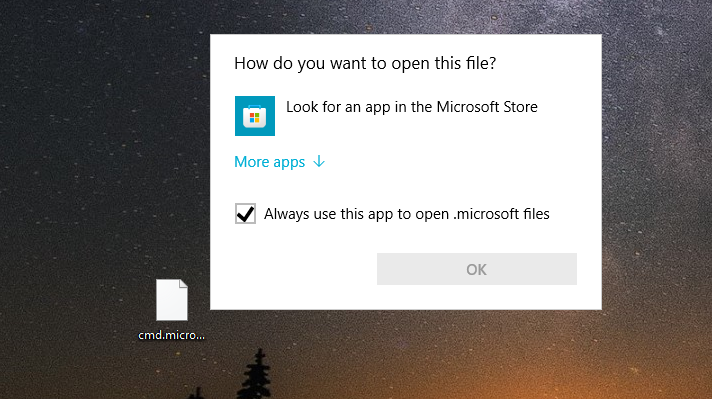
Before the registry entry is added, double-clicking a .microsoft file will not execute.
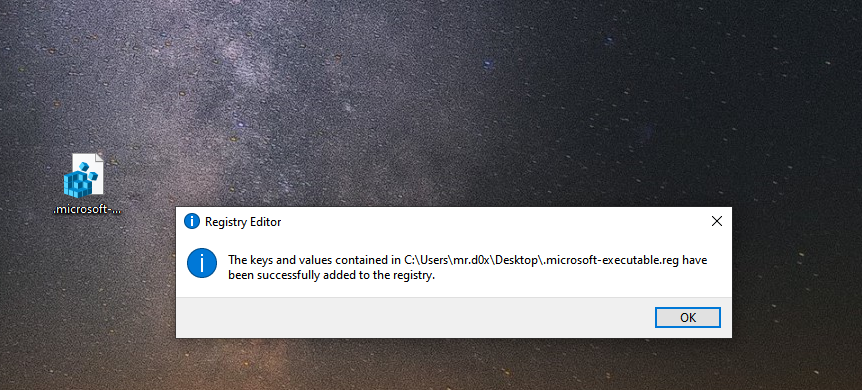
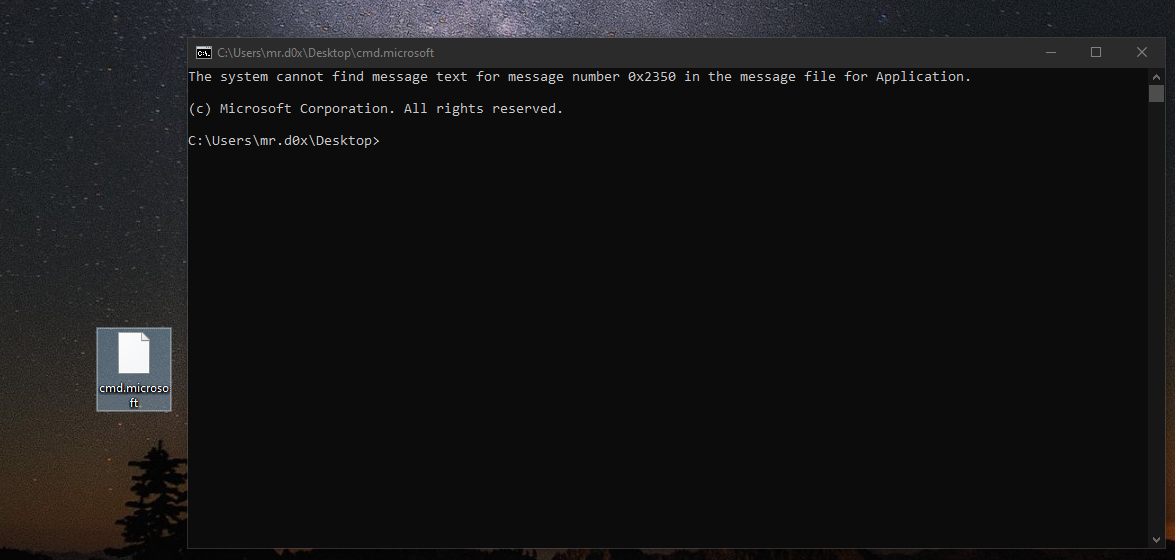
When the .reg file is executed, the .microsoft file extensions become executables and act as .exe.
Avoiding Executables
Some security solutions and custom rules will call out executables being executed without an executable file extension. For example, if an attacker modifies a .exe to .zip and then executes it, it could trigger an alert. An alternative is to avoid executables and use a scripting language such as VBS, JS or BAT.
Create the file test.mrd0x with the following VBS snippet:
Set objShell = CreateObject("WScript.Shell")
objShell.Run "cmd.exe /c ping -n 10 www.google.com"
Set objShell = Nothing
Next, create a .reg file that has the snippet shown below. The .reg file will simply create the key .mrd0x and change the default value to VBSFile.
Windows Registry Editor Version 5.00

[HKEY_CURRENT_USER\Software\Classes\.mrd0x]
@="VBSFile"
Once the .reg file is double-clicked, .mrd0x becomes a file extension that executes the VBS upon being double-clicked. The same could be done to a variety of file extensions, but this will be left as an objective to the user.
Video Demo (3)
Conclusion
This module demonstrated how it's possible to hijack an existing benign file extension as well as creating an arbitrary extension. This can potentially be effective against email gateways that filter executable file extensions.
Companion Project & Source Code
4 readable source/config files extracted directly from the archive
Windows Registry Editor Version 5.00

[HKEY_CURRENT_USER\Software\Classes\.microsoft]
@="exefile"
"Content Type"="x-msdownload"
Full Archive Manifest (10 files inside .zip)
- Custom-File-Extension.zip
- Custom-File-Extension/.microsoft-executable.reg
- Custom-File-Extension/cmd.microsoft
- Demo-1.zip
- Demo-1/Instructions.txt
- Demo-1/cmd.zip
- Demo-1/decrypt-zip-file.reg
- Demo-2.zip
- Demo-2/mrd0x.reg
- Demo-2/test.mrd0x