Antimalware Scan Interface - Introduction
Antimalware Scan Interface or AMSI for short, is a Windows feature that provides a standard interface between the OS and the installed antimalware vendor. AMSI is designed to in...
Jump to Section (5)
Introduction
Antimalware Scan Interface or AMSI for short, is a Windows feature that provides a standard interface between the OS and the installed antimalware vendor. AMSI is designed to integrate applications with the most common malware scanning and protection techniques offered by antimalware products. AMSI is seamlessly integrated into popular scripting languages such as Powershell, JavaScript, and VBScript, as well as .NET applications like C# binaries.
AMSI works by applying signature-based detections, wherein it leverages an extensive database of signatures corresponding to specific malicious keywords, URLs, functions, and procedures. Consequently, if an attacker attempts to utilize any of these known signatures within their code, AMSI promptly intercepts and halts the execution, effectively mitigating the potential threat.
AMSI's Architecture
AMSI operates independently of the installed antimalware vendors for its signature database. Instead, it maintains its own signature database, which is utilized whenever a scan is initiated. Interacting with AMSI can be done in one of two ways:
1. By using the AMSI WinAPIs Antimalware Scan Interface AMSI functions.
2.By using the AMSI COM interfaces IAmsiStream interface.
It is worth noting that the AMSI COM interfaces end up calling AMSI WinAPIs.
To gain a better understanding of AMSI, refer to the image below, which illustrates its architecture. This image along with Microsoft's explanation of AMSI's architecture can be found here.
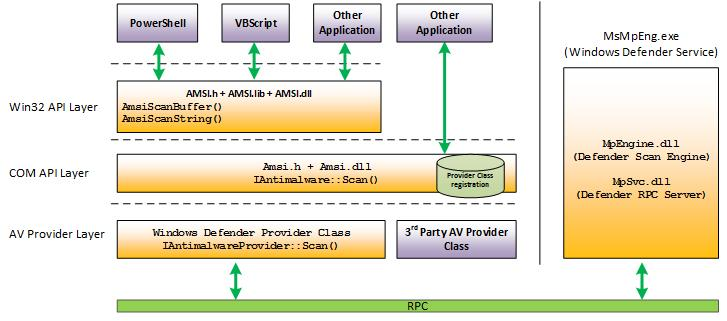
Notice that the AMSI WinAPIs interface is acquired from amsi.dll, which is injected into the virtual memory of the target program to initiate a scan. Below are some of the WinAPIs exported by amsi.dll:
- AmsiOpenSession Initiates a session with AMSI to enable subsequent scanning and analysis of content for potential malware threats.
- AmsiScanBuffer Used to scan a provided buffer of data for potential malware, providing detection and analysis capabilities.
- AmsiScanString Enables the scanning and analysis of a specified string for potential malware threats.
AMSI In Action
Whenever the PowerShell process is launched, amsi.dll is automatically injected into it at runtime. It's possible to see this by analyzing the loaded DLLs of PowerShell using Process Hacker.
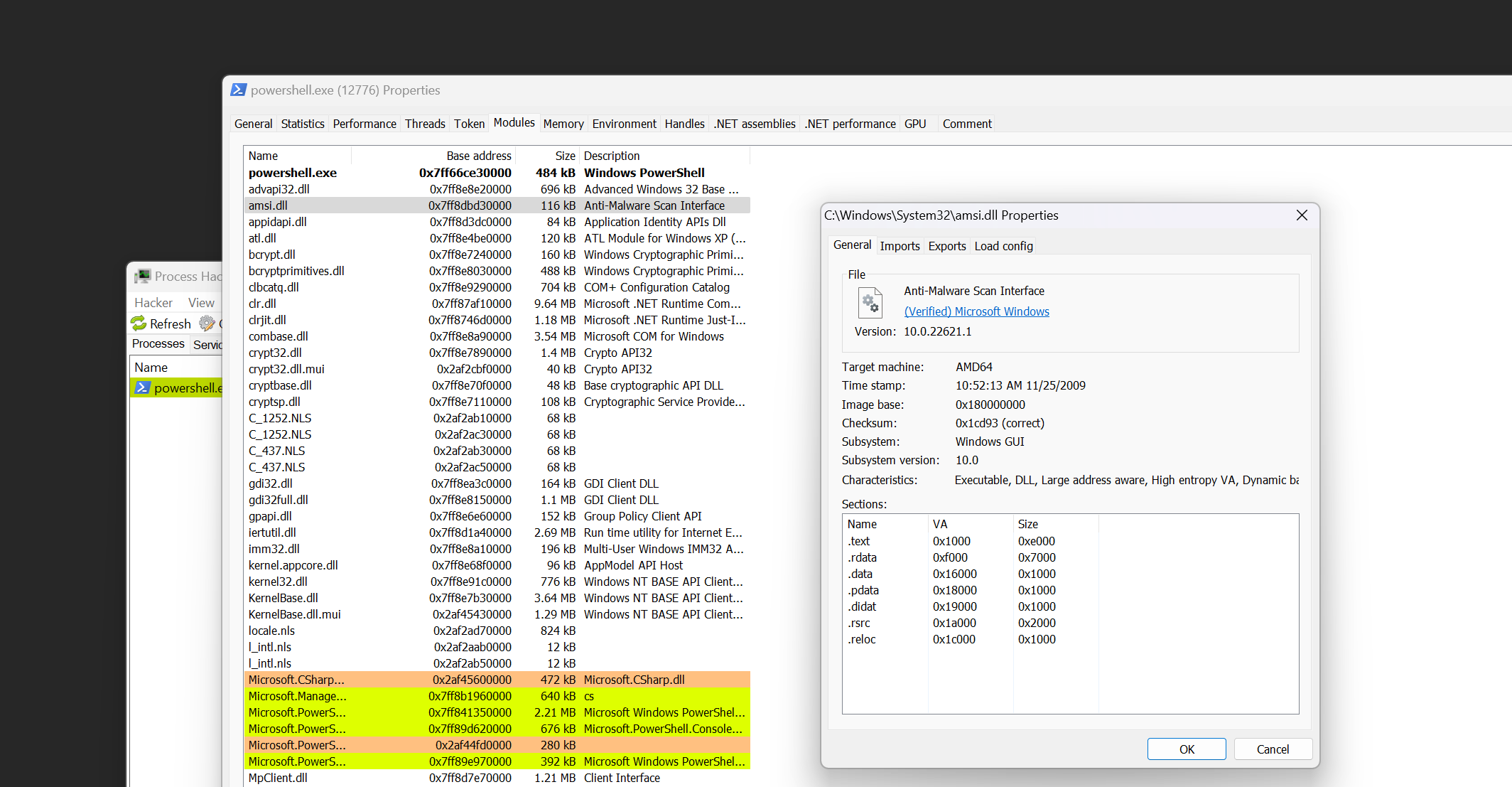
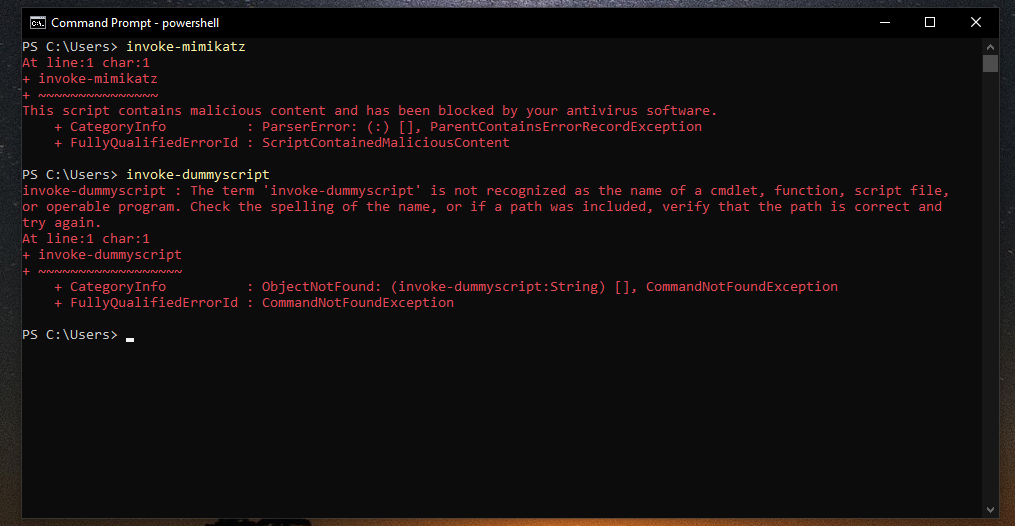
Having AMSI automatically integrated into every Powershell process allows for detecting malicious commands and scripts, which can be used to block such code from executing in the specified Powershell process. For example, upon running the Invoke-Mimikatz command, the below output is thrown, which indicates the detection of a malicious script, although the script doesn't exist in the working directory. For comparison, another command is executed (Invoke-DummyScript) which also executes a script that doesn't exist, however, the error message returned is different and reports an unrecognized script being executed, instead of the earlier error.
Debugging PowerShell
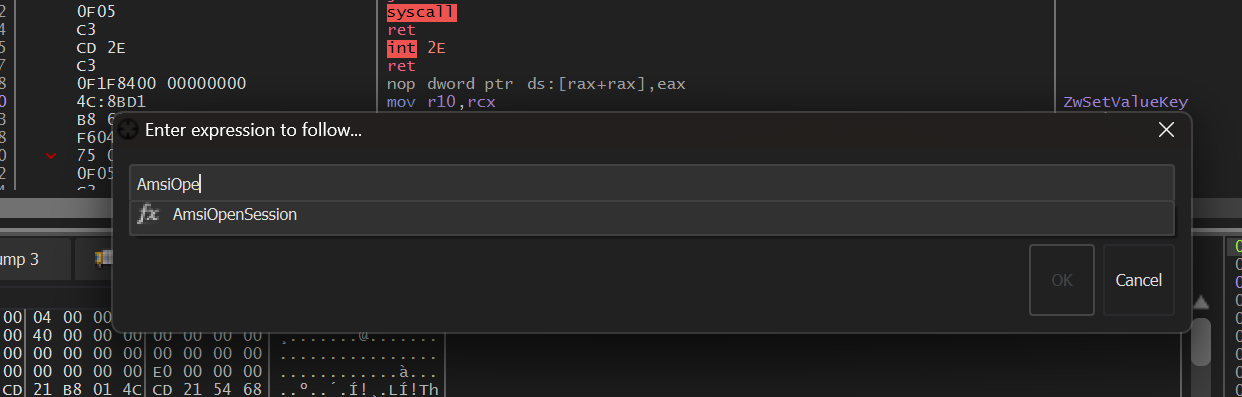
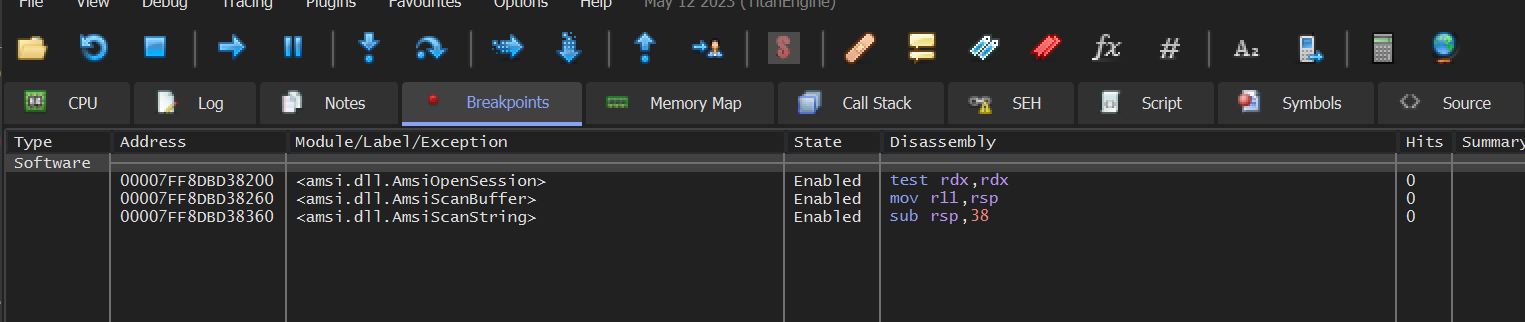
To further investigate what happens when executing the Invoke-Mimikatz command, the xdbg debugger will be attached to the Powershell process. Once the debugger is attached, press CRTL + G to go to the AmsiOpenSession, AmsiScanBuffer, and AmsiScanString functions, placing a breakpoint (by pressing F2) at the start of each one as shown below:
Below is the Breakpoints tab after setting breakpoints at all the aforementioned functions.
When the Invoke-Mimikatz command is executed again, the process pauses at the AmsiOpenSession function. Upon resuming execution after the first breakpoint hit, an AmsiScanBuffer call follows.
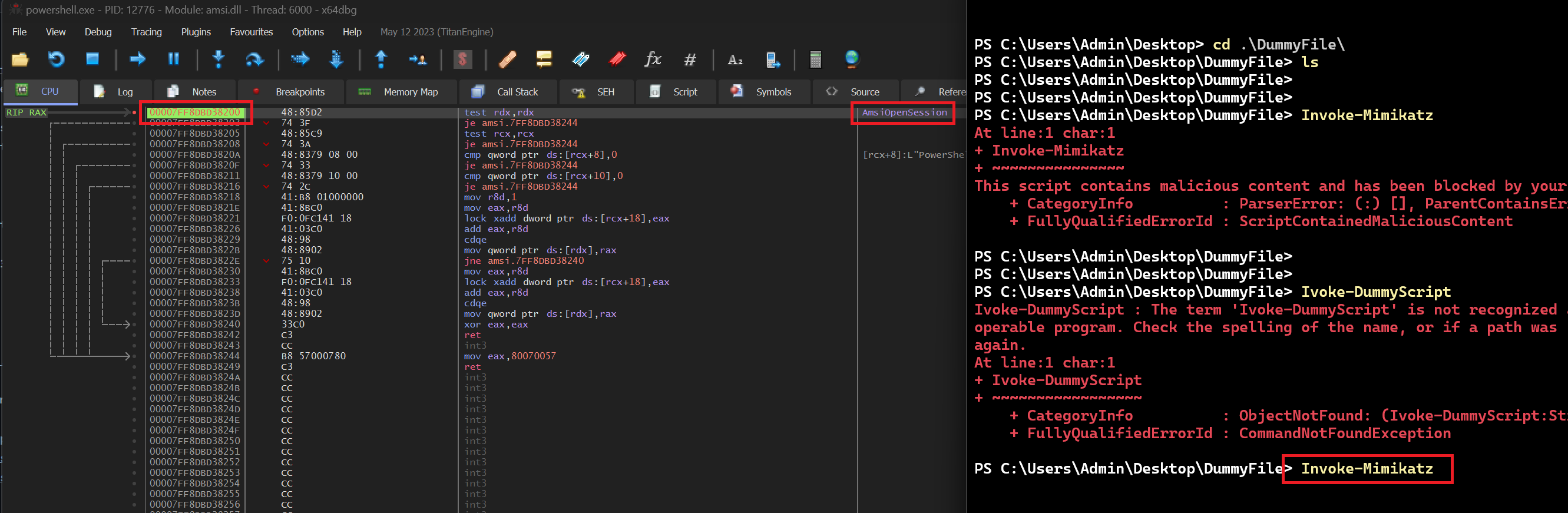
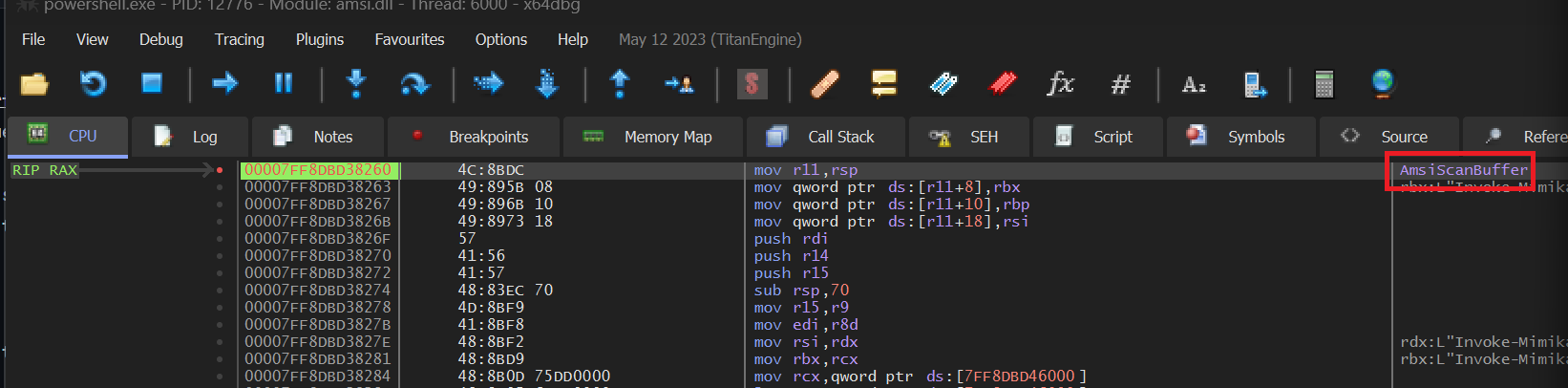
Whenever a new command is executed, these two WinAPIs are invoked to scan the content of the command before its actual execution. This pre-execution scan capability enables AMSI to prevent the command from being executed if it is detected as malicious.
Conclusion
This module provided an introduction to the AMSI engine in the Windows OS. However, in the realm of malware development, AMSI is often regarded as a minor obstacle rather than a robust security solution, mainly because it relies on static signatures to identify malicious scripts or commands. The next module will explore approaches to circumvent AMSI's detection mechanisms.