Malware Directory Placement
When dropping a malicious executable, one must be aware of where the malware is being dropped or executed. For example, a sample initial access scenario would be a .lnk that run...
Jump to Section (7)
Introduction
When dropping a malicious executable, one must be aware of where the malware is being dropped or executed. For example, a sample initial access scenario would be a .lnk that runs a .ps1 file to drop an .exe file in a directory and then executing it. The location from where the malware is executed can play a role in being detected. This is because attackers often drop their malware into writable directories that should not contain executables.
Additionally, some organizations will monitor executables in legitimate directories for any suspicious behavior.
This module will show how the process directory field of a running process can be used as an IoC by defenders. Furthermore, blacklisted and suspicious directories will be discussed that should be avoided along with analyzing a real detection rule that will flag on an executable running from a suspicious directory.
Process Directory
Viewing a process through Process Hacker reveals details about the process, such as the directory from which the process was launched. The image below shows Explorer.exe in Process Hacker, notice the "Current Directory" field is set to C:\Windows\System32.
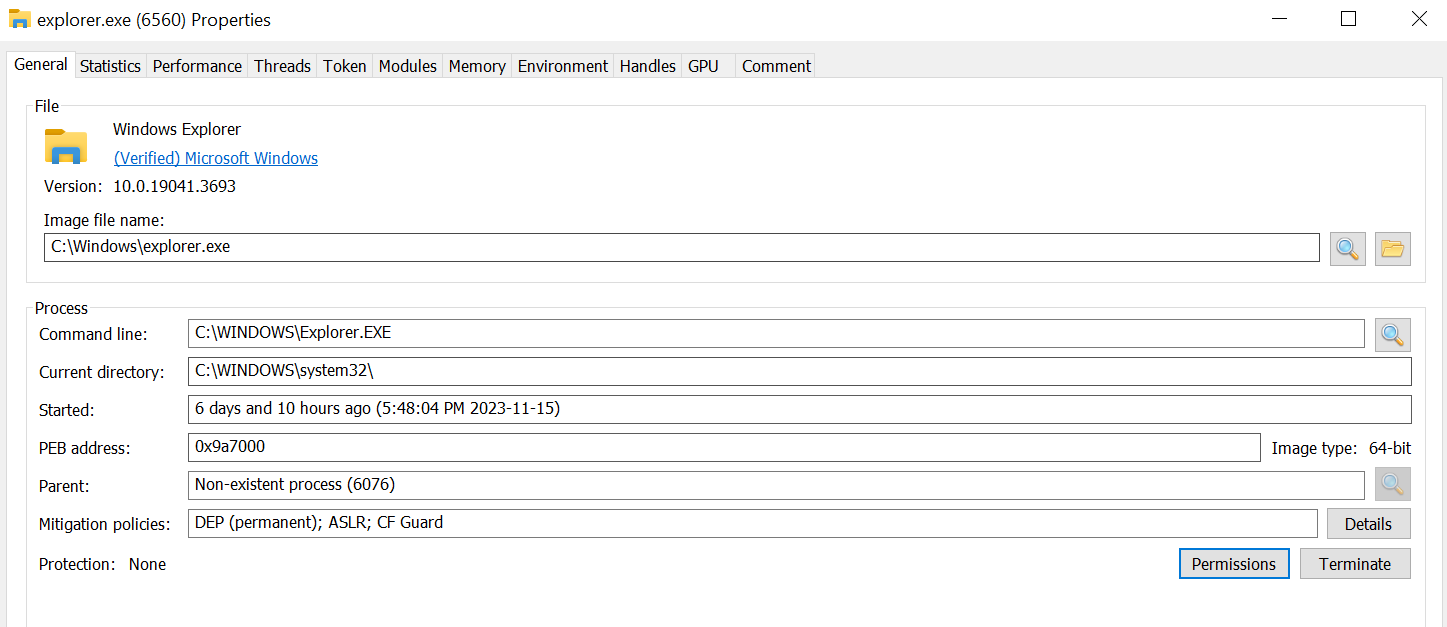
Had explorer.exe been executed from a different path (e.g. C:\Users\Administrator\Desktop) this can be an IoC as explorer.exe should never be executed from a different path.
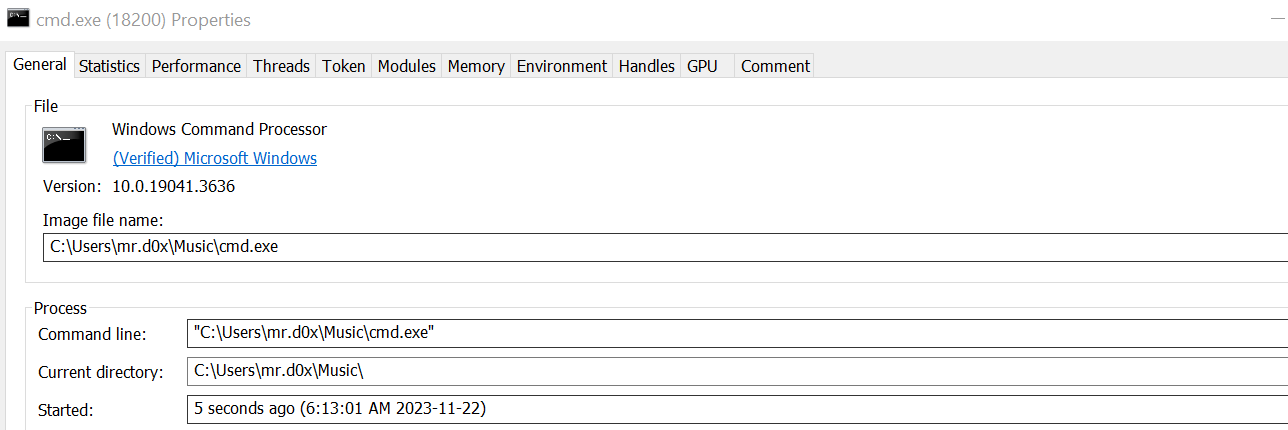
In the example below, cmd.exe was copied to C:\Users\mr.d0x\Music and then executed. When analyzed in Process Hacker, notice how the current directory path is set to the aforementioned directory.
Blacklisted Directories
Several malware analysis papers over the years have shown that certain directories should be monitored for malicious files. These are some of the directories that attackers choose to place their malware in because they are typically writable, making them susceptible targets for malicious file placement.
The issue with these directories is that there's nearly no legitimate case where an executable should be launched from these directories. Some of the folders that should be avoided are shown below.
C:\PerfLogsThis folder is used for storing performance-related log files.C:\Users\PublicThis is a special folder designed for sharing files and resources among multiple users on the same computer.C:\Users\MALDEV01\PicturesThis folder is meant for storing pictures.C:\Users\MALDEV01\MusicThis folder is meant for storing music.
Commonly Abused Directories
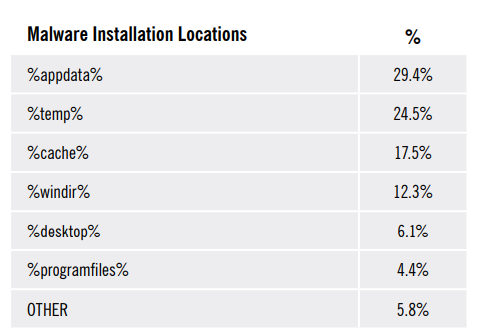
The directories shown below are often used by legitimate programs and therefore malware will try to utilize these directories to attempt to blend in. In one research paper, it was found that over 50% of malware used the two directories below.
C:\Users\MALDEV01\AppData\RoamingThis is the user-writable%APPDATA%directory which is used to store application-specific data, settings, and files for individual user accounts. Malware will often launch from this directory or write files here to try to blend in with other applications.C:\Users\MALDEV01\AppData\Local\TempThis is the user-writable%TEMP%directory which is used to store temporary files.
These directories are not necessarily poor for usage with your malware, but it should be noted that defenders can place these directories under higher scrutiny due to the fact that they are user-writable.
The image below is from the aforementioned research paper that shows additional commonly used directories by malware.
EDRs vs Custom Detection Rules
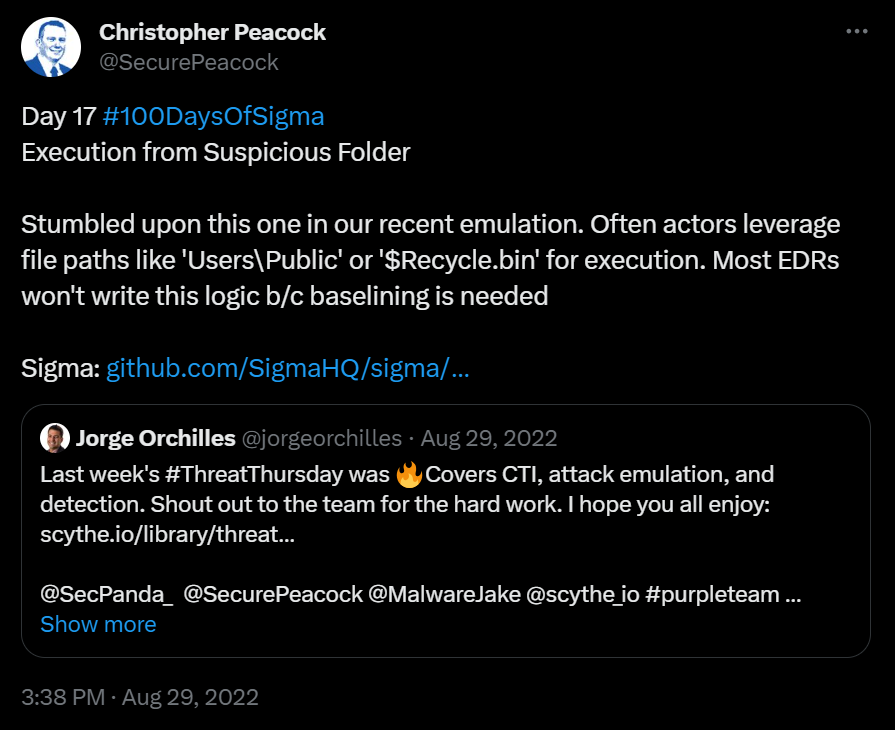
It should be worth noting that EDRs will generally avoid acting on executables running from a suspicious directory by default since it requires baselining. There may be odd legitimate scenarios where an executable runs from a suspicious folder. However, keep in mind that defenders can utilize custom detection rules to detect these abnormalities.
Example: Analyzing Elastic Detection Rule
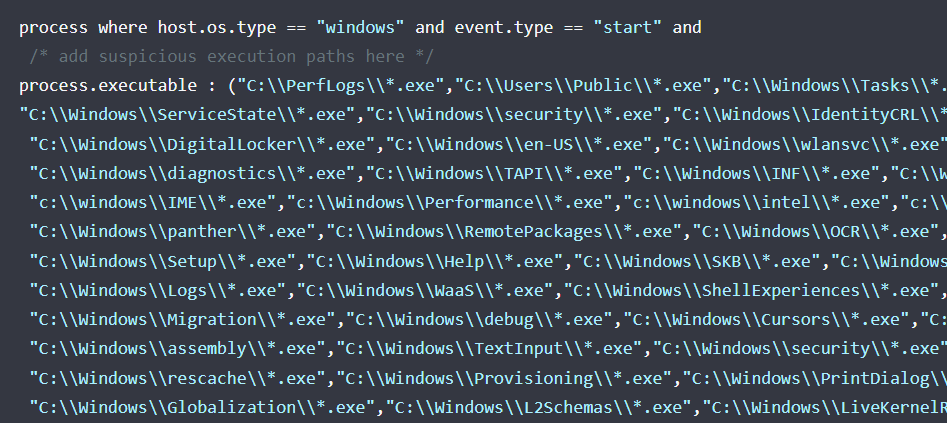
Elastic has its detection rules publically available and it is highly recommended to read through the rules to understand how defenders and security solutions detect or prevent certain attacks. One of the rules Elastic has is Process Execution from an Unusual Directory which looks for .exe files that are executing from suspicious default Windows directories.
The image below shows a part of this detection rule that lists out multiple suspicious directories.
Conclusion
When executing any binaries on disk, it's important to ensure it's being executed from a location that blends in with the target environment. Simply dropping a binary into any writable directory such as the "Public" folder is usually done in CTFs and other unrealistic environments which unfortunately teach users poor opsec techniques. Additionally, the executable being dropped must be built with evasion in mind using techniques such as low entropy, non-suspicious IAT, signing the executable etc.