Binary Metadata Modification
Binaries can include metadata that provides information about the file such as a file description, version number, company name and more. The image below shows the metadata of G...
Jump to Section (15)
- Introduction
- Modifying Metadata
- Step 1 - Create a Solution
- Step 2 - Add a New Item
- Step 3 - Add a Resource (.rc) File
- Step 4 - Exit Resource Viewer
- Step 5 - Edit Resource File
- Step 6 - Insert Metadata
- Step 6 - Compile & View the Results
- Video Demo
- Binary Icon
- Step 1 - .ico File Placement
- Step 2 - Modify The Resource File
- Step 3 - Compile & View the Results
- Video Demo
- Companion Source Code
Introduction
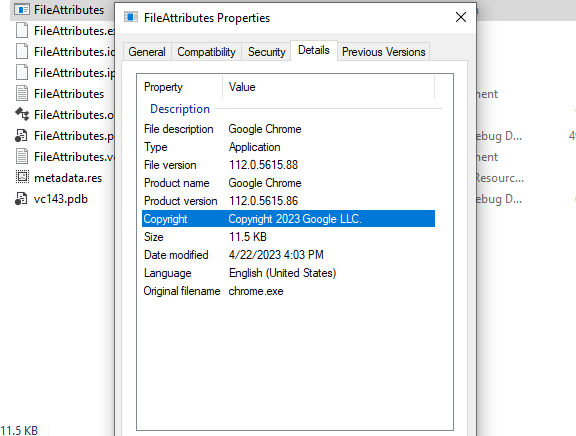
Binaries can include metadata that provides information about the file such as a file description, version number, company name and more. The image below shows the metadata of Google's chrome.exe binary.
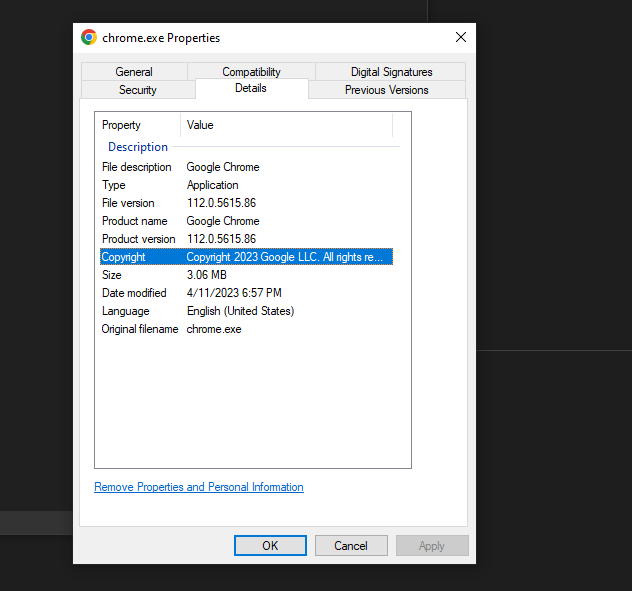
Although including metadata information may not directly decrease the likelihood of detection, it can contribute to making the binary appear less suspicious. Security teams are cautious about users executing binaries, especially ones downloaded from untrusted sources on the internet. Therefore, embedding metadata in the binary can help reduce its suspicious appearance, potentially making it less prone to being analyzed by the security team.
The goal is to essentially make the malicious binary appear as ordinary as possible. This module will demonstrate how to include this metadata information in a compiled binary.
Modifying Metadata
The steps below will show how to modify a binary's metadata.
Step 1 - Create a Solution
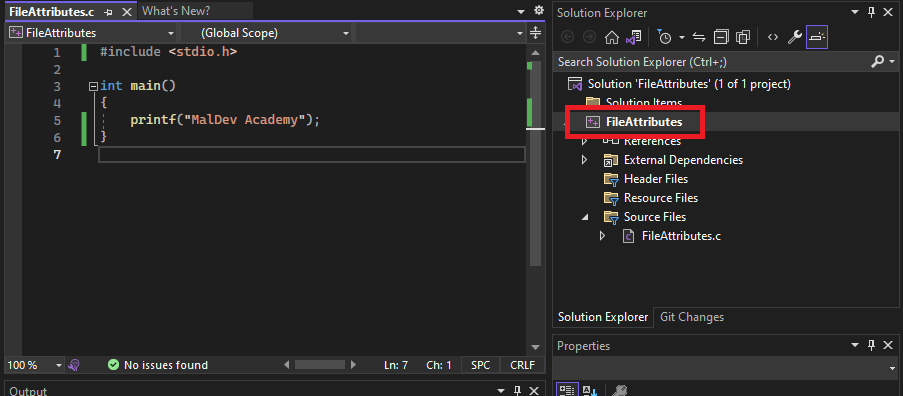
Open up Visual Studio and create a new solution.
Step 2 - Add a New Item
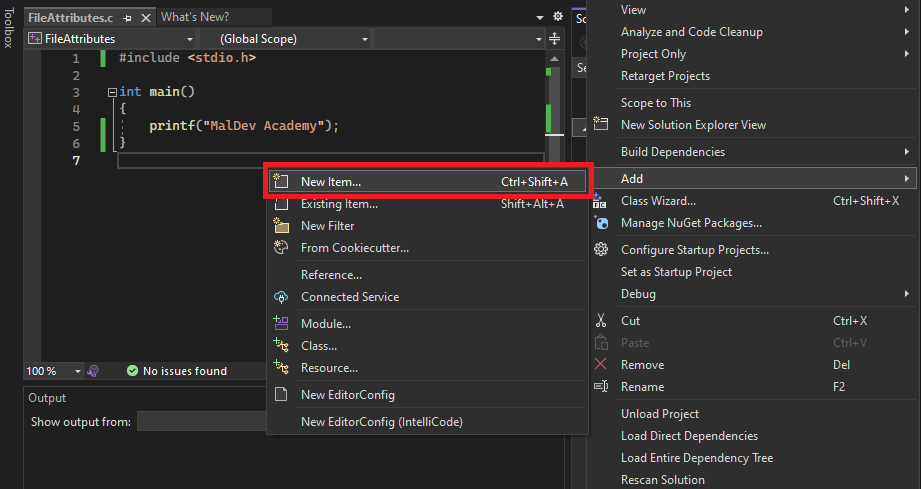
Right-click the project, select 'Add' > 'New Item'
Step 3 - Add a Resource (.rc) File
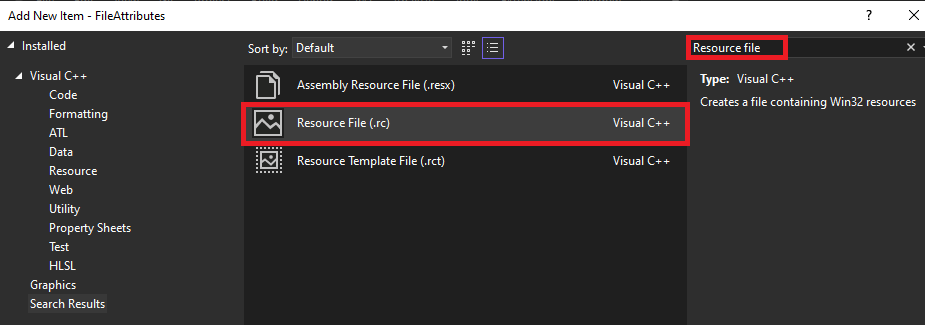
Add a new resource file to the project. Renaming the file is not necessary, but for this module, it will be renamed to metadata.rc.
Step 4 - Exit Resource Viewer
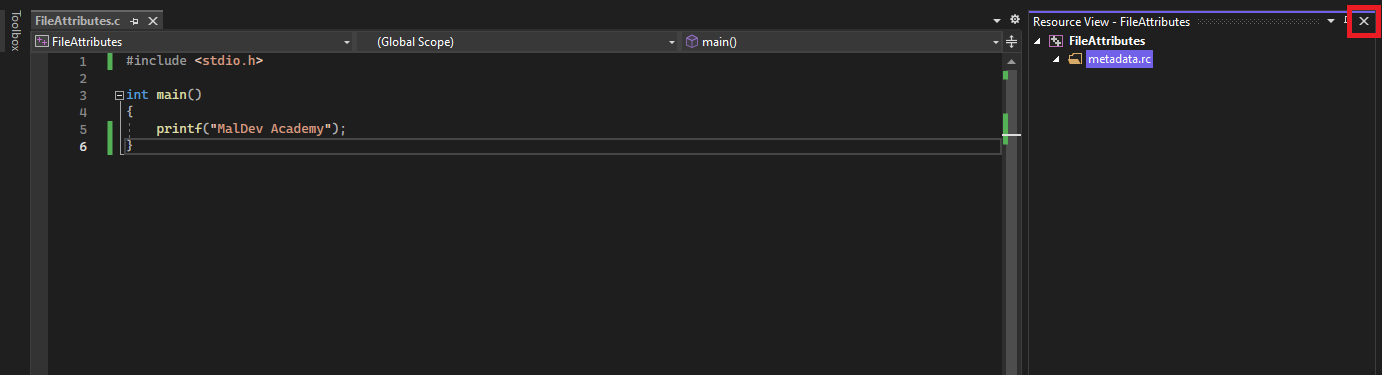
When the file is added, Visual Studio will automatically open the file up in the resource viewer. This is not required and therefore exit the resource reviewer by clicking the X.
Step 5 - Edit Resource File
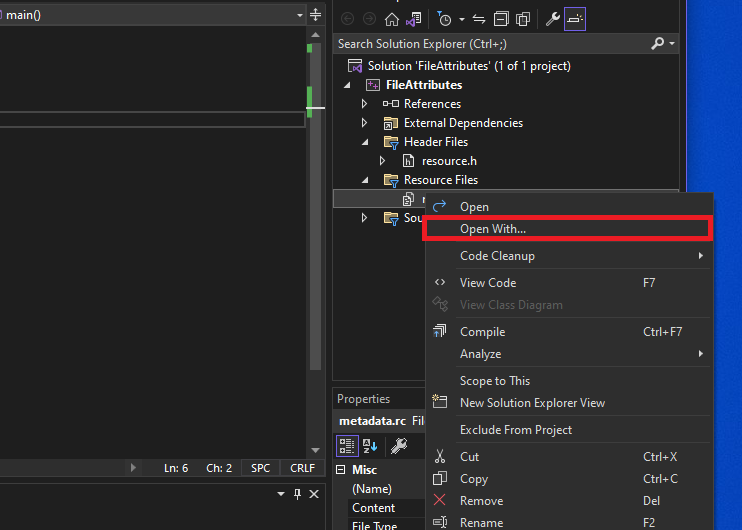
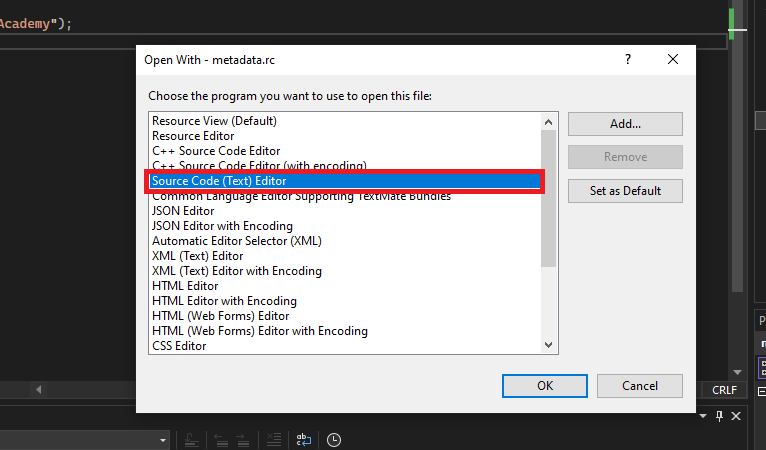
After exiting the resource viewer, right-click the resource file and select 'Open With' > 'Source Code Text) Editor'.
Step 6 - Insert Metadata
Scroll down to the bottom of the file and insert the following contents.
1 VERSIONINFO
 FILEVERSION 112,0,5615,88 // File version separated by commas
 PRODUCTVERSION 1,0,0,0
 FILEFLAGSMASK 0x0L
#ifdef _DEBUG
 FILEFLAGS 0x1L
#else
 FILEFLAGS 0x0L
#endif
 FILEOS 0x0L
 FILETYPE 0x0L
 FILESUBTYPE 0x0L
BEGIN
    BLOCK "StringFileInfo"
    BEGIN
        BLOCK "040904B0"
        BEGIN
            // Modify the values below
            VALUE "CompanyName", "Google LLC."
            VALUE "FileDescription", "Google Chrome"
            VALUE "InternalName", "Chrome"
            VALUE "LegalCopyright", "Copyright 2023 Google LLC."
            VALUE "OriginalFilename", "chrome.exe"
            VALUE "ProductName", "Google Chrome"
            VALUE "ProductVersion", "112.0.5615.86"
        END
    END
    BLOCK "VarFileInfo"
    BEGIN
        VALUE "Translation", 0x409, 1200
    END
END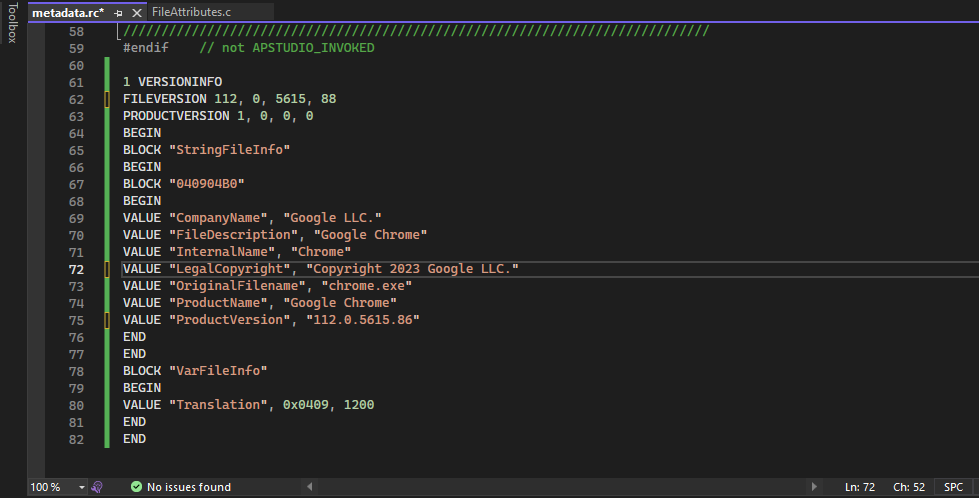
Step 6 - Compile & View the Results
Finally, build the solution and view the properties of the newly compiled binary.
Video Demo
Binary Icon
It's also possible to give the binary an icon, which again is a step towards making the binary appear less suspicious. The steps to add an icon to a binary are shown below.
Step 1 - .ico File Placement
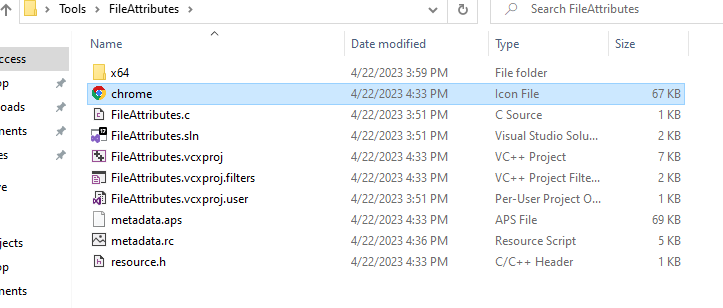
Download a .ico file that will serve as the icon for the executable. Next, place the file in the same location where the .sln file is located.
Step 2 - Modify The Resource File
In the resource file, insert the following line.
// chrome.ico is the name of the icon from the previous step
IDI_ICON1 ICON "chrome.ico"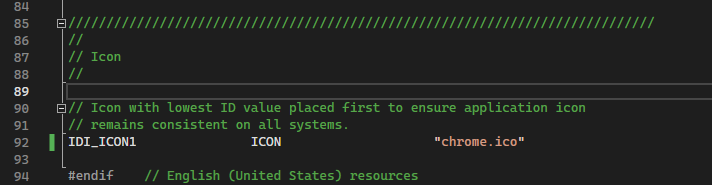
Step 3 - Compile & View the Results
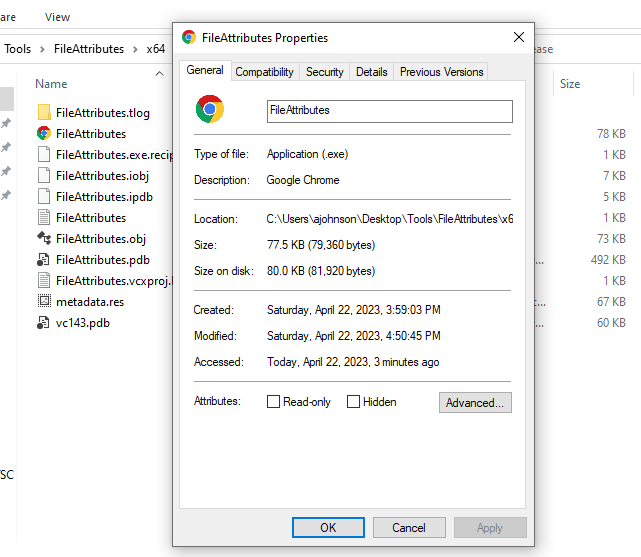
Finally, build the solution and the binary should now have an icon.
Video Demo
Companion Project & Source Code
6 readable source/config files extracted directly from the archive
#include <stdio.h>

int main()
{
    printf("MalDev Academy Demo");
}
Full Archive Manifest (8 files inside .zip)
- FileAttributesDemo/FileAttributesDemo.cpp
- FileAttributesDemo/FileAttributesDemo.sln
- FileAttributesDemo/FileAttributesDemo.vcxproj
- FileAttributesDemo/chrome.ico
- FileAttributesDemo/metadata.aps
- FileAttributesDemo/metadata.rc
- FileAttributesDemo/resource.h
- FileAttributesDemo/resource1.h